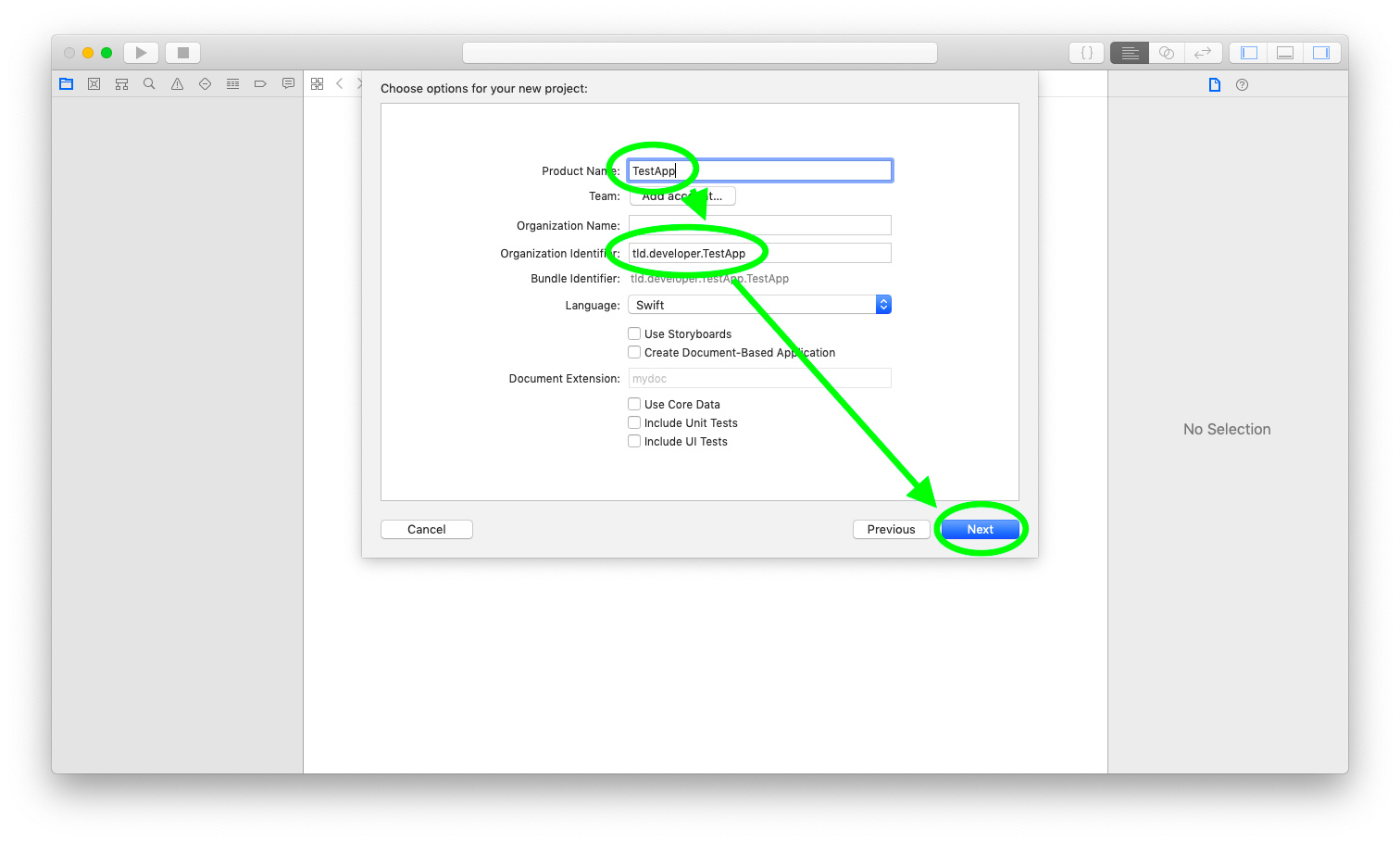
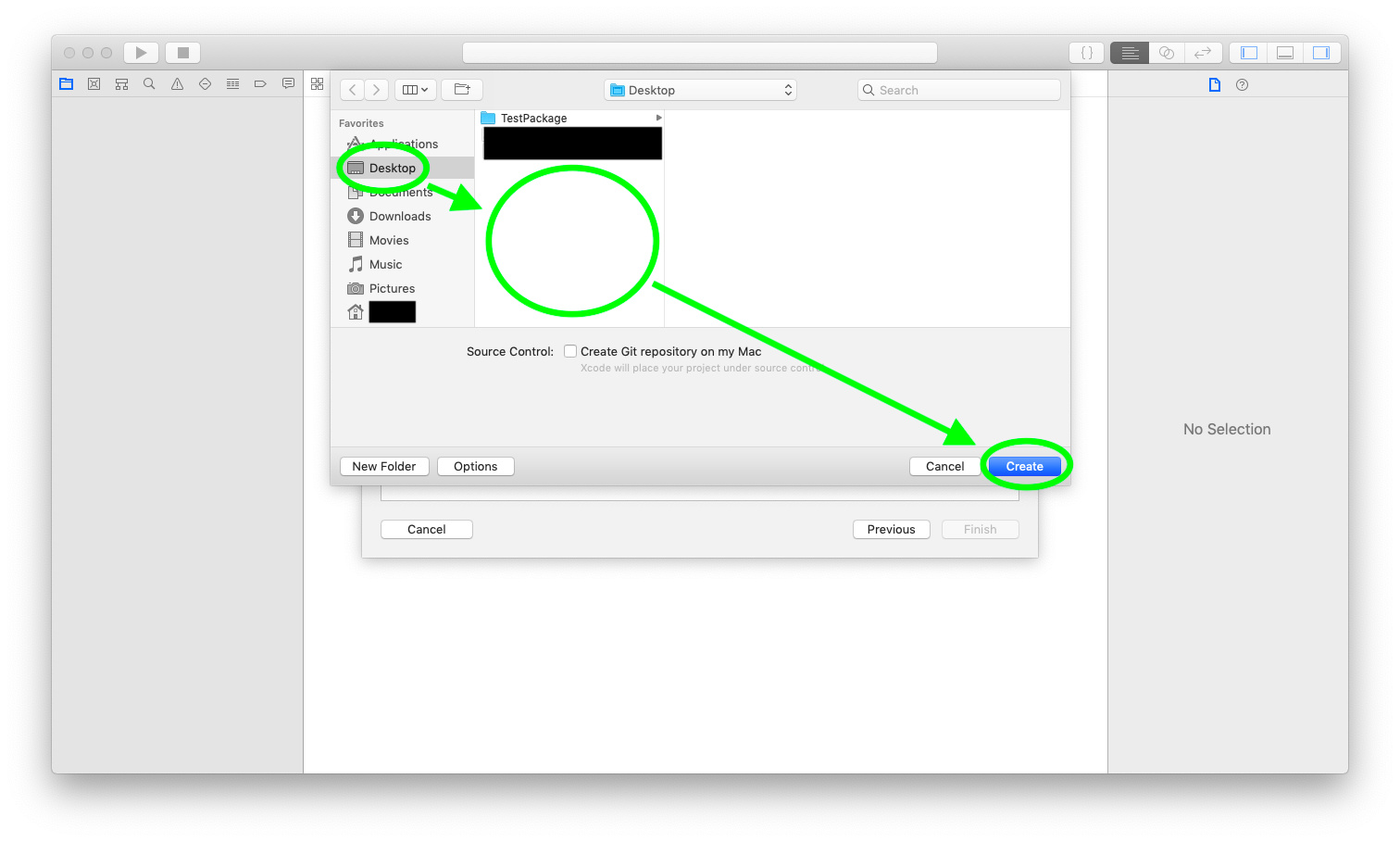
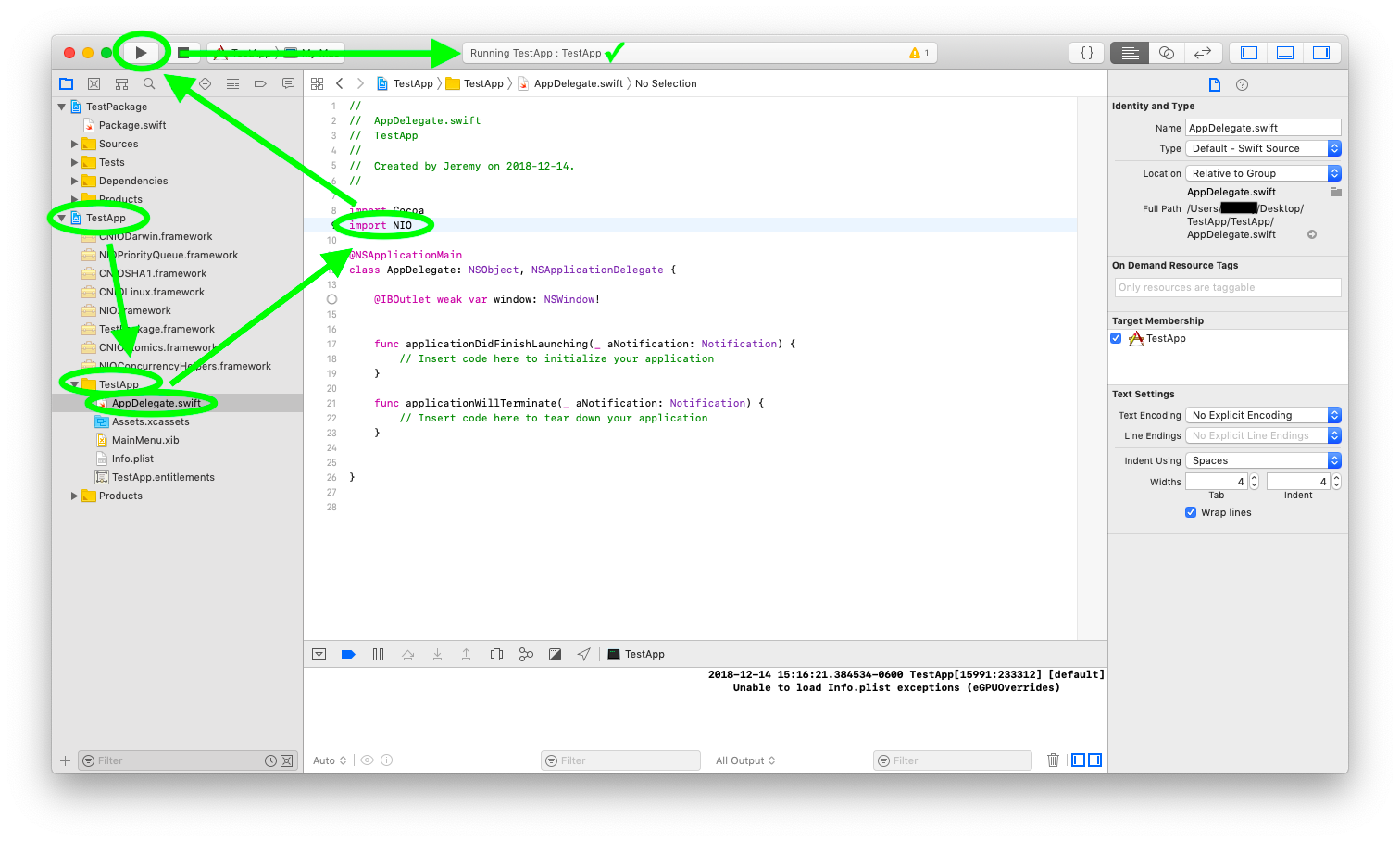
I'm starting a new Mac app project. This project will rely on an externally developed Swift library (the library itself wraps some C code). The library is set up using SPM.
What is the best practice for creating and setting up an Xcode project that relies on an SPM dependency for a library?
I've tried a couple of things, neither of which have worked.
I first tried creating an Xcode project and then adding the dependent directory. I expected this to work, but I wasn't able to get the Xcode project to have the library as a target.
I next tried using SPM. I copied the various swift and XML files created within Xcode into a new directory, laid out like SPM likes, placing the Mac app source files in a subdir of Sources, and defining a Package.swift file that lists the library as a dependency. I then used SPM to generate an Xcode project file.
Neither of these options worked. Is this even possible right now? I know that Xcode integration with SPM isn't fully mature yet.
Basically you create a Swift SPM package that holds all your dependencies inside your macOS project. And you add the generated Xcode project file for this umbrella project to your macOS project as a sub-project.
The main caveat is that you will have to modify the project file holding your dependencies to produce frameworks and modify some other settings. But with some form of script (like a rake-file in the article) this is not too bad.
The screenshots in @tkrajacic’s link may be useful to understand steps 3 and 4 above, but you can ignore all of the other stuff about git, gem, rake and any of the other Xcode settings it talks about. None of those have been necessary for some time now.
If I need to have a static framework, this still doesn't seem to work.
Even when I set the type of the library target to .static in the Package manifest it produces a dynamic framework when compiled with Xcode. So I have to manually edit the project file.
The package manager defaults to static linking for itself, though it can be set to create dynamic libraries (.dylib) instead. However, the Xcode project it produces currently results in frameworks (.framework) instead no matter what (on a per‐module, not per‐library basis, which is also odd). That is fine for most things, but if the distinction is significant to you, consider filing a bug report.
I can't get it working :( I have a package which uses NIO, but when I added its xcodeproj file to my workspace and added it to embedded binaries, it just fails at compile time with error missing required module 'CNIOAtomics' (I tried adding it to embedded binaries and frameworks/libraries), no use.
This is a great guide but when I followed it I too got a similar issue, Missing required module 'xxx''
This seems to relate to Swift wrappers around C Libs.
For future reference in my case I created a wrapper around a C library, this worked fine in its wrapping Package but when I followed this guide and @ tkrajacic's guide Xcode cannot find the embedded (in the package) C Library.
For this to work for me I had to set Xcode's Other Swift Flags as described in the following StackOverflow article.
I had to build the swift package and then set the path to the generated module map
Just make sure you know the implications if you hard‐code .../x86_64-apple-macosx10.10/debug/.... It won’t work for other platforms and it will disrespect any debug/release differences. If the same module map can be found in the product directory somewhere, that would be a better place to point—even if it is nested inside one of the other product bundles.
I’m curious in which layer the issue first appears:
Does $ swift test work for Deps/ with a clean build? (i.e. delete Deps/.build/ before trying) If not, there is an issue with how the package is set up.
Does a clean $ swift package generate-xcodeproj work for Deps/? (i.e. delete Deps/Deps.xcodeproj first). Then does the resulting project (Deps/Deps.xcodeproj in isolation) pass tests without adjusting anything? If either of these fail, there is a bug in the package manager. Report it at bugs.swift.org.
Otherwise it is an issue with Xcode (unless you made a mistake in your workspace set‐up, but it sounds like you know what you are doing). Either way, I would ask the Xcode folks about it.
yes I agree it is very brittle and a work around not a fix, I will try your suggestions and report back, I may well have set it all up wrong. Thanks for the response.
This stage works just fine, at the end of the stage we have a .build folder with the expected files.
Running a complete clean (ie remove the .build folder and the .xcodeproj folder) and then swift package generate-xcodeproj generates the .build folder but no module map or .o files etc. Running the tests from with Xcode, build fine and the tests run.
At this point, having run the build and test phase either via Xcode or SPM we have a .build folder.
If we run the command swift test then as expected the .build folder contains the subfolder x86_64-apple-macosx10.10 that contains the debug or release build and the the module map files such as debug/CTulipIndicators.build/module.modulemap etc, i.e. the missing module.map file
If we elide this step i.e just run swift package generate-xcodeproj then the module map for the embedded C library resides in Dependencies.xcodeproj/GeneratedModuleMap/CLibrary/module.map
This I assume is correct as it makes sense (at least to me)
However when the Dependencies .xcodeproj is added to the MacOS application this path seems to be lost.
Perhaps it's down to the way I have setup the packages?
Regardless the error can be fixed with the not ideal -Xcc flag as before but this time pointing to the module map contained in the added Dependencies package project as follows:
Directly copying and pasting your “Dependencies” manifest did not work. I had to add // swift-tools-version:4.2 to the very top. Did you just leave that out when you copied and pasted?
Other than that, the package and the generated “Dependencies” Xcode project both work properly.
The combined workspace runs into its trouble in the application target (meaning all the targets it inherits from the “Dependencies” project still work fine on their own). Since the application does not importCTulipIndicators, and SwiftTulipIndicators has not @_exported it, I think this all comes down to the general inconsistencies around import. You can read reams on the subject in this thread:
Maybe @Aciid knows if there is anything the package manager could do to mitigate it? Maybe there is someplace Xcode would look by default where the Xcode target generated for a C‐dependent package target might put the module map?